



Let the colour system work for you, and you’ll be a happy author
Picking and testing global colour palettes many colour combinations, and sticking to those carefully selected colours, requires effort and tradeoffs initially, but is a very rewarding strategy for accessible content in the long run.
Table of contents
- The colour system's light and dark-mode shades
- Colour combinations demo in light and dark mode
- Resources and credits
The colour system’s light and dark-mode shades
Using Global Colour Palettes ensures consistent styling and straightforward dark‑mode implementation. This theme’s colour system builds on Blocksy’s defaults and extends them with four additional static colours.
| # | Primary use | Light | Dark |
|---|---|---|---|
| 1 | Primary brand, key accents | 900 | 400 |
| 2 | Alternative colour, hover effects | 700 | 200 |
| 3 | Main text, paragraphs | 700 | 200 |
| 4 | Headings, subheadings, titles | 900 | 100 |
| 5 | Borders, dividing elements | 200 | 750 |
| 6 | Subtle background, heroes, sections, footers | 150 | 800 |
| 7 | Main background, default background colour | 100 | 900 |
| 8 | Light alternative, header background | 50 | 850 |
| 9 | Static Primary, brand (equal to dark #1) | 400 | 400 |
| 10 | Static Alternative, effects (equal to dark #2) | 200 | 200 |
| 11 | Static Background, fly-out (equal to dark #6) | 800 | 800 |
| 12 | Static Text, (equal to light #6) | 150 | 150 |
Picking the preferred palette in the customizer
Custom Global Colour Palettes are selected in the Customizer. Each palette includes both a light‑mode and dark‑mode version, and all colours become available as CSS custom properties.
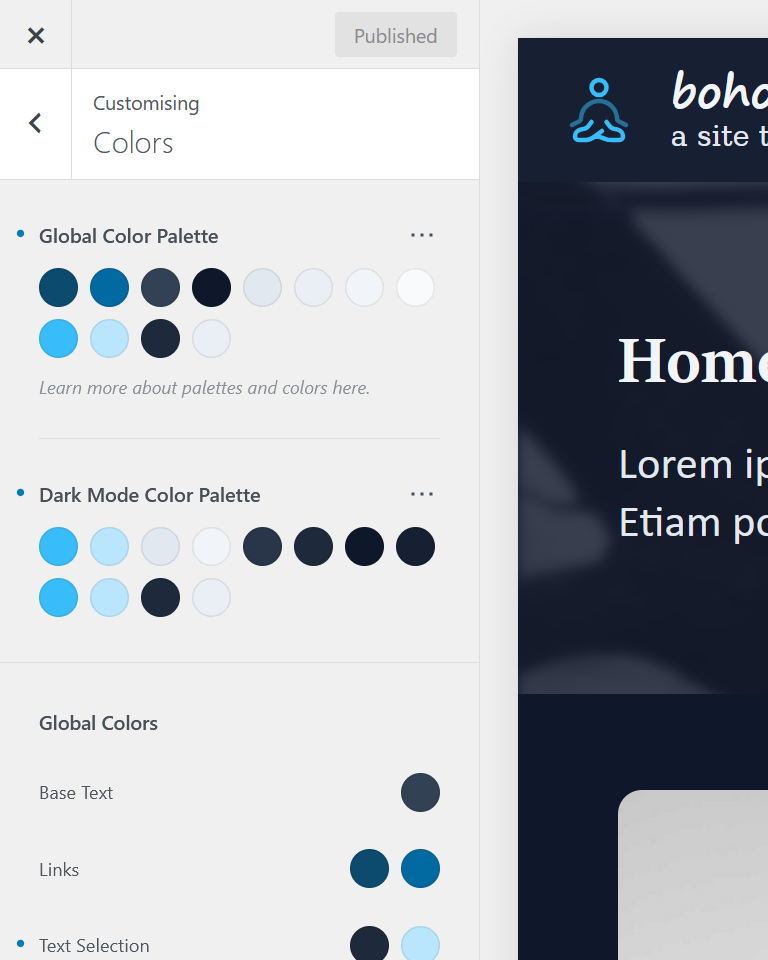
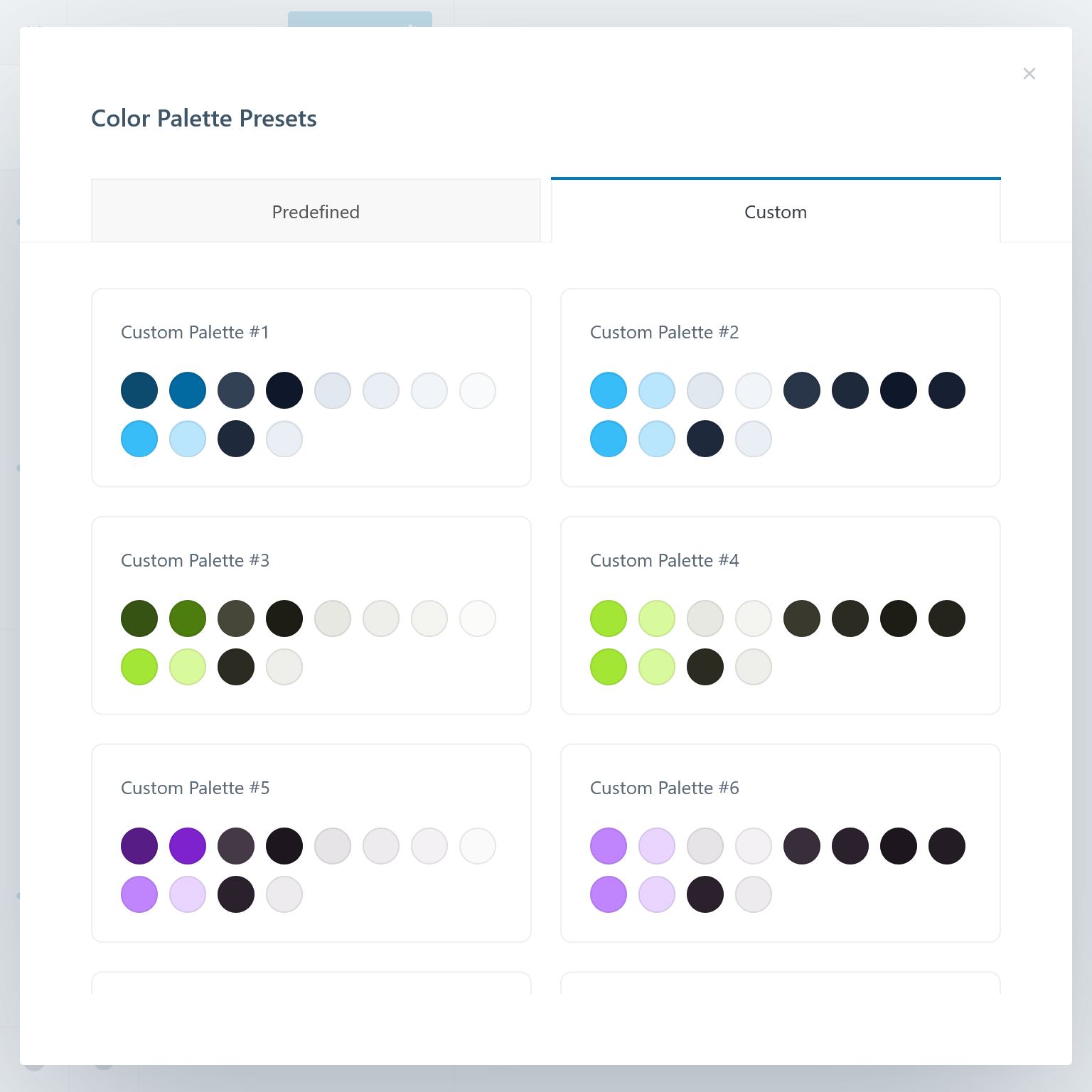
Custom palette presets serve as a starting point.
The presets are designed as matched light/dark pairs. They combine subtly tinted greyscale hues — slate, olive, mauve — with vibrant brand colours such as sky, lime, and purple. These presets provide a reliable foundation for editors and developers when building new sections or components.
Consistent, accessible colours everywhere
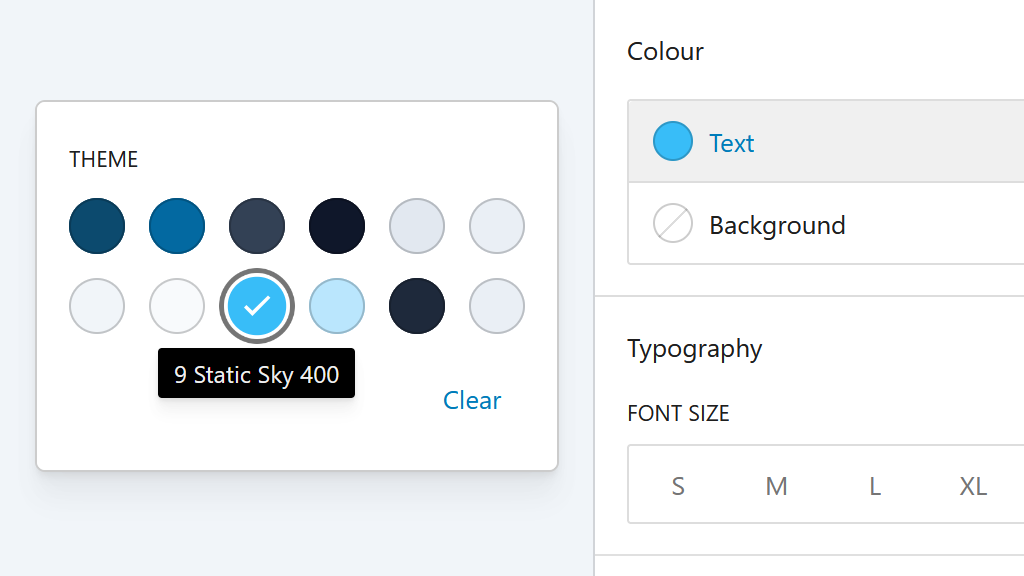
The palette chosen in the Customizer is available across plugins and editors, including the WordPress block editor. This ensures consistent colour usage, adequate contrast, and adherence to the site’s design system.
Colour combinations demo in light and dark mode
Eight colours differs in light and dark mode
Brand and text colours primary (1), alternative (2), main (3) and heading (4) — plus the border (5) can be combined with the available backgrounds: subtle (6), main (7), lighter (8). All of these change between light and dark mode.
1 Primary | 6
2 Alternate | 6
3 Main | 6
4 Headings | 6
5 Border* | 6
1 Primary | 7
2 Alternate | 7
3 Main | 7
4 Headings | 7
5 Border* | 7
1 Primary | 8
2 Alternate | 8
3 Main | 8
4 Headings | 8
5 Border* | 8
Four static colours don’t change in light and dark mode
Static colours — static primary (9), static alternative (10), static background (11), static text (12) — remain identical in both modes. They are ideal for menus or special sections where consistent colour behaviour is required.
9 Static | 11
10 Static | 11
11 Static | 12
12 Static | 11
Resources and credits
Built‑in browser tools for colour‑contrast testing
Firefox Accessibility Inspector
Feature for detecting contrast failures, missing labels, and other accessibility issues to help validate readable, accessible colour choices in Firefox browsers.
Lighthouse Accessibility Scoring
Technical breakdown of Lighthouse’s accessibility audit rules, including contrast checks, available in Chromium‑based browsers such as Vivaldi.
Online tools for colour‑contrast evaluation
WAVE Web Accessibility Evaluation Tool
Online analyser for detecting contrast issues, structural accessibility errors, and colour‑related problems directly from any public webpage.
Equalize Digital Contrast Grid
Tool for generating full contrast‑testing matrices, allowing developers to evaluate multiple colour combinations with clear WCAG pass/fail results.
Browser extensions for accessibility testing
axe DevTools Browser Extension
Cross‑browser extension for automated accessibility audits, contrast validation, and issue detection, available in both Chromium and Firefox.
Accessibility Insights for Web
Microsoft browser extension offering guided accessibility checks, colour‑contrast testing, and reports to help validate web UI accessibility.
Ready to use colours and accessible palette generator
Reasonable Colors
Open‑source, contrast‑safe colour system using fixed luminance steps. Any colours with sufficient shade‑number difference automatically meet WCAG AA.
Accessible Palette (ColorBox)
Open‑source OKLCH‑based palette generator with real‑time WCAG contrast checking, producing predictable, accessible colour scales for design systems.
